When using your own fader design, the VU meter image is superimposed on the background image, revealed to match the current volume level from the bottom up. Rendering order is background, VU meter, handle.
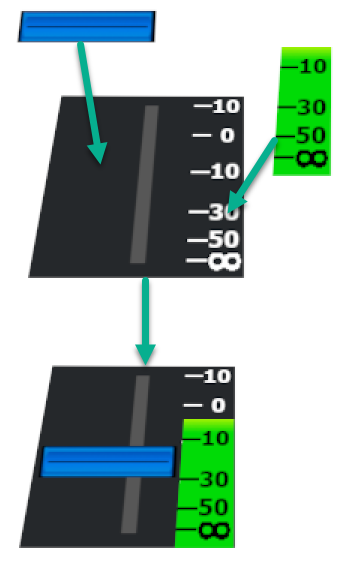
Click on "Select file..." and select the image you want to use for the VU meter.
Please note that a background image must also be selected; otherwise, the VU meter will not be displayed.
Please see the documentation for guidelines on how to create your own VU meter image.